What's the Best App for Tracking GLP-1 Side Effects?
When you start a GLP-1 medication like Ozempic, Mounjaro, or Wegovy, tracking side effects is important. It helps you spot patterns and share useful information with your doctor.
But which app should you use? This guide breaks down your options.
Why Track GLP-1 Side Effects at All?
Tracking side effects gives you real data. Your doctor can see what's happening and adjust your dose if needed.
Common GLP-1 side effects include:
- Nausea and vomiting
- Constipation or diarrhea
- Stomach pain
- Fatigue
- Loss of appetite
- Headaches
When you log these daily, patterns emerge. You might notice nausea peaks on certain days or improves with specific foods.
This information is gold for your healthcare team.
What Features Should You Look For?
Not all apps are created equal. Here's what matters for GLP-1 side effect tracking:
Daily symptom logging - Record how you feel each day with simple checkboxes or ratings.
Severity scales - Rate symptoms from mild to severe so your doctor sees the full picture.
Trend identification - The app should show patterns over time (weekly or monthly views).
Notes section - Add context like what you ate or how much you slept.
Easy sharing - Export data or screenshots to email your healthcare provider.
Medication reminders - Know when you took your GLP-1 injection.
Privacy and security - Your health data should be encrypted and protected.
Top Options for Tracking GLP-1 Side Effects
Dose AI
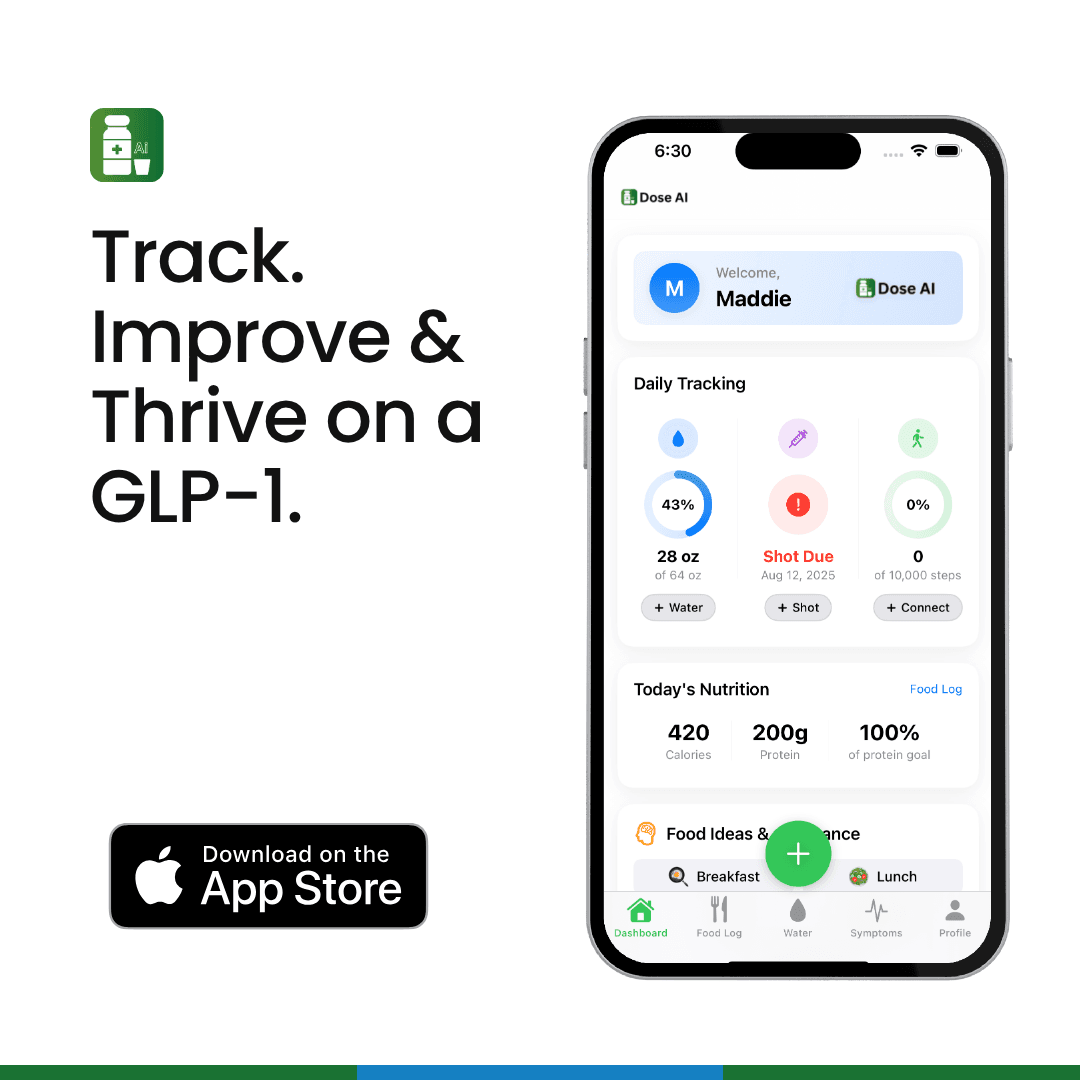
Dose AI is a comprehensive platform designed specifically for GLP-1 users. It includes a dedicated Symptom Tracker feature that lets you:
- Log symptoms daily with severity ratings
- See patterns emerge over weeks and months
- Track water intake (hydration helps prevent many GLP-1 side effects)
- Record your meals and track macros using photo logging
- Log when you took your GLP-1 shot
- Monitor your progress with weight and photo tracking
The Symptom Tracker connects all your data. Nausea might correlate with low water intake or skipped meals. The app helps you discover these connections.
You can share your symptom reports directly with your doctor through the app.
Best for: GLP-1 users who want all-in-one tracking (shots, food, water, symptoms, weight).
General Health Apps
If you prefer a broader health app, consider these options:
MyFitnessPal - Tracks food and nutrition. Helpful for understanding how meals affect nausea or digestion.
Apple Health - Built into iPhones. Integrates with many apps and wearables. Simple symptom logging through third-party apps.
Google Fit - Free fitness and health tracking. Works across devices.
Cronometer - Detailed nutrition tracking. Useful if you're monitoring micronutrient intake on a GLP-1.
Symptom-Specific Apps
Cara - Tracks symptoms and food triggers. Originally designed for IBS but works for GLP-1 tracking.
Symple - Simple symptom logging with a health diary. Clean interface, easy to use daily.
Medisafe - Medication reminder app that also tracks symptoms and side effects.
How to Use an App Effectively
Step 1: Pick One App and Stick With It
Don't jump between five different apps. Choose one and commit to daily logging for at least 4 weeks.
Consistency matters. One month of data shows real patterns.
Step 2: Log at the Same Time Each Day
Set a daily reminder. Morning or evening works best. Log before you forget details.
Be honest about severity. Rate symptoms on a scale of 1-10, not just "yes" or "no."
Step 3: Add Context Notes
Write down:
- What you ate that day
- How much water you drank
- How much you slept
- Your stress level
- When you took your GLP-1 shot
These details help you and your doctor connect the dots.
Step 4: Review Weekly
Every Sunday, spend 5 minutes reviewing your week. Look for patterns.
Is nausea worse on injection day? Does it improve by day 5?
Do certain foods trigger stomach pain? Does more water help?
Step 5: Share With Your Doctor
Print or screenshot your monthly summary. Bring it to your appointment.
Most apps let you export data as a PDF. This shows your doctor real trends, not just your memory.
Can You Use Multiple Apps Together?
Yes, but be strategic. For example:
- Use Dose AI for GLP-1-specific tracking (shots, symptoms, macros)
- Use MyFitnessPal for detailed nutrition if you're meal planning
- Use Apple Health to sync everything to your phone's health dashboard
But avoid tracking the same thing twice. It creates confusion and wastes time.
What If You Don't Want to Use an App?
Apps aren't for everyone. You can track side effects the old-fashioned way:
Paper journal - Write daily entries. Simple and effective.
Spreadsheet - Create a simple Excel or Google Sheets tracker with columns for date, symptoms, severity, and notes.
Calendar - Mark calendar days with symptom severity. Visual and easy to spot patterns.
Voice memos - Record quick daily updates on your phone. Transcribe them later.
The method matters less than consistency. Use whatever you'll actually stick with.
When Should You Contact Your Doctor?
Track side effects, but know when to reach out:
- Severe nausea lasting more than 3 days
- Vomiting that prevents you from eating or drinking
- Severe stomach pain
- Signs of dehydration (dark urine, extreme thirst, dizziness)
- Constipation lasting more than 5 days despite fiber and water
- Any symptom that worries you or interferes with daily life
Don't wait for your next appointment. Call your doctor if side effects are severe.
FAQ: GLP-1 Side Effect Tracking
Q: How long should I track side effects?
A: Track for at least 4-6 weeks to see clear patterns. After that, continue tracking if side effects persist. Many side effects improve after the first month as your body adjusts.
Q: Is it normal for side effects to change week to week?
A: Yes. Nausea might be strong week 1, improve week 2, then return slightly week 3. This is common. Tracking shows your doctor this pattern, which is valuable information.
Q: Should I track every little symptom or just major ones?
A: Track symptoms that affect your daily life. Minor headaches you'd normally ignore don't need logging. But nausea, appetite changes, or bathroom issues do.
Q: Can tracking apps predict if side effects will go away?
A: No app can predict your future. But historical data helps. If your nausea improved after week 2 last month, it might again this month. Your doctor can also use patterns to estimate when symptoms might improve.
Q: What if I forget to log for a few days?
A: Don't stress. Log what you remember, but note the gap. Consistency matters more than perfection. Even 80% of days logged gives your doctor useful information.
The Bottom Line
The best app for tracking GLP-1 side effects is one you'll actually use daily.
Dose AI is purpose-built for GLP-1 users and connects symptom tracking with nutrition, hydration, and medication logging. This integration helps you spot what triggers your side effects.
If you prefer a simpler approach, a paper journal or spreadsheet works just fine.
Start tracking today. After 4 weeks, review your data with your doctor. This conversation, backed by real data, helps you find the right dose and management strategy.
Remember: side effects are common and often temporary. Tracking them is a sign you're taking your health seriously.
Medical Disclaimer
This article is for educational purposes only and is not medical advice. GLP-1 medications like tirzepatide (Mounjaro), semaglutide (Ozempic, Wegovy), and other GLP-1 receptor agonists require a prescription and medical supervision.
Always consult with your healthcare provider before starting, changing, or stopping any medication. If you experience severe side effects, contact your doctor or seek emergency care immediately.
The information here reflects current medical knowledge but is not a substitute for professional medical evaluation.
Related Dose AI Blog Posts
- How to Manage Nausea on GLP-1 Medications
- Best Foods to Eat When Starting Ozempic
- GLP-1 Hydration: Why Water Matters for Side Effect Prevention
- Mounjaro vs. Ozempic: Which GLP-1 Is Right for You?
Sources
National Institutes of Health (NIH). "GLP-1 Receptor Agonists: Mechanisms and Clinical Applications." https://www.ncbi.nlm.nih.gov/
U.S. Food and Drug Administration (FDA). "Ozempic (semaglutide) - FDA Approval Information." https://www.fda.gov/