Get through the Ozempic® weeks nobody warns you about.
Shots, meals, water, symptoms, and weight on Ozempic®, logged in seconds. See what’s working and keep going.


What tracking gives you back on Ozempic®.
Two seconds a meal, one tap for water, a symptom logged as it happens. Weight trend and progress photos come with it, and the patterns are just there, for you and for your prescriber.
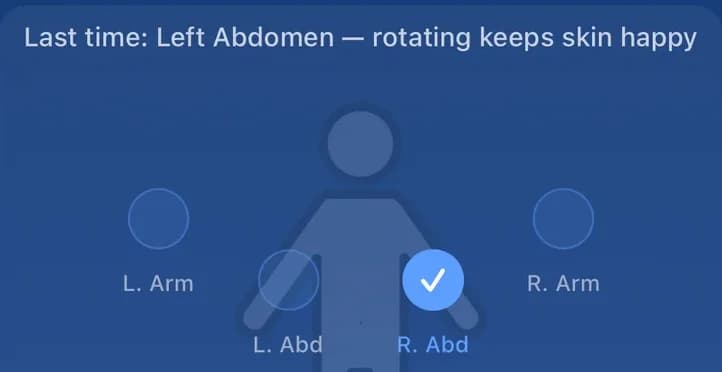
Never wonder where you injected last.
- TueNausea
- WedFatigue
- ThuConstipation
Nausea is predictable now.
- Protein
- Fiber
- Calories
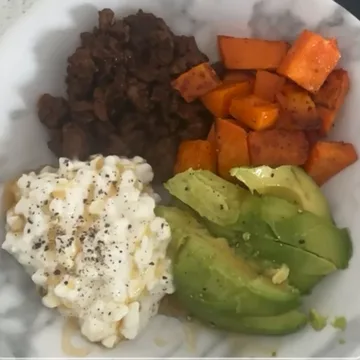
Protein hit, no counting.
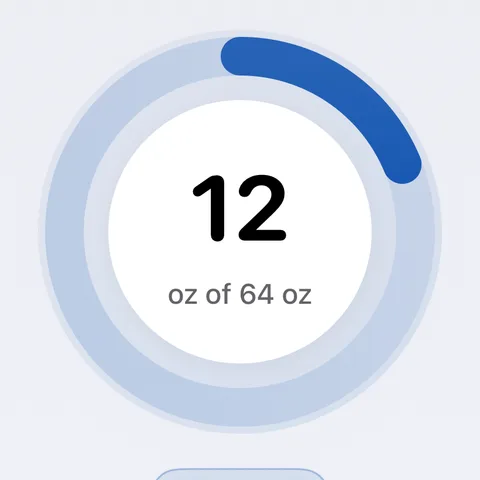
Stay ahead of the rough days.
Your Ozempic® dosing schedule.
Ozempic® is semaglutide, a once-weekly GLP-1 injection approved for type 2 diabetes, with a label that runs up to 2 mg. Wegovy® is the same molecule at up to 2.4 mg for weight management. The first weeks are spent stepping up from 0.25 mg, and each step can change appetite, energy, and side effects.
Label titration, step by step
From the Ozempic® prescribing label- Step 10.25 mgWeeks 1–4
- Step 20.5 mgWeeks 5–8
- Step 31 mgWeeks 9+
- Step 42 mgIf needed
Your prescriber sets your dose and decides when it changes; this is the label’s schedule, not a recommendation. Dose AI logs the dose you actually took each week, so a rough Tuesday can be read against the step you were on.
- Nausea, fatigue, and GI side effects commonly improve within 4 to 8 weeks.
- Symptoms often flare again briefly after each dose increase.
- Dehydration makes nausea and constipation worse, so water is logged next to the dose.
Around week 12, the scale goes quiet.
Two flat weeks after real progress is when people start to doubt the medication. Plateau Mode notices the stall, puts your own curve on a “You are here” chart against the STEP 1 average for semaglutide, and writes a cited note for your prescriber.
STEP 1: 14.9% average body-weight change at 68 weeks. Wilding et al., NEJM 2021 (semaglutide 2.4 mg). A trial average, not a promise; individual results vary widely.
See Plateau ModeTake the shot without the dread.
Shot Mode walks you through your Ozempic® injection: breathe with Blu, prep step by step, a ten-second hold count, then confetti and the dose logged for you, site included. Streaks keep the weekly rhythm.
See Shot Mode4.7 on the App Store.
Quoted as written from Apple’s public review feed, handle and date included. You can check every one.

“Helps my patients overcome plateaus and lack of energy and so much more. I highly recommend.”
“This app has been a total game-changer for keeping track of my medication schedule. I’m using it for Wegovy, and I love how simple and intuitive everything is. The reminders are perfectly timed, and I really appreciate the flexibility to log doses, symptoms, and progress. It’s clear this was made by someone who understands what we need.”
“I have been using dose AI for a year now. It’s easy to use it’ll generate your calories carbs, protein, and fiber for you and also you can set up other things you want to keep track of. And if you don’t want to type it in, you can just take a picture of your plate. I renewed my subscription for the second year.”
“Not usually one to write reviews but I have LOVED this app! It has helped support me in my GLP-1 journey a ton! The reminder of when I do my shot has been so helpful as a busy working mom! Highly recommend”
Questions people ask about Ozempic®.
Straight answers about Dose AI and about living on Ozempic®. Nothing here is medical advice; your prescriber sets your dose.
How often should I inject Ozempic®?
Ozempic® is injected once weekly, on the same day each week. Dose AI helps you track your injection schedule, rotate injection sites properly, and never miss a dose with smart reminders. Always follow your doctor's specific dosing instructions.
What foods should I avoid on Ozempic®?
Limit high-fat, greasy foods, spicy foods, and large portions as they can worsen nausea and GI side effects. Focus on protein-rich, easily digestible foods. Dose AI's food scanner helps identify Ozempic®-friendly options and tracks how different foods affect your symptoms.
How much weight can I expect to lose on Ozempic®?
Weight loss varies by individual. Clinical studies show people typically lose 10-15% of body weight with consistent Ozempic® use. Dose AI tracks your personal progress patterns and helps optimize your results through nutrition, hydration, and side effect management.
How long do Ozempic® side effects last?
Nausea, fatigue, and GI side effects typically improve within 4-8 weeks as your body adjusts to semaglutide. Dose AI's side effect tracker helps you identify patterns, log severity levels, and discover which foods, hydration habits, and injection sites minimize symptoms during this adjustment period.
Can Dose AI help if I hit a weight loss plateau on Ozempic®?
Absolutely. Plateaus are common with any weight loss medication. Dose AI analyzes your food intake, hydration, injection patterns, and side effects to help identify what's holding you back—whether it's protein deficiency, dehydration, inconsistent timing, or other factors—and shows you exactly how to break through.
How do I manage constipation on Ozempic®?
Increase fiber intake, stay well-hydrated, and consider gentle exercise. Dose AI's water tracker ensures you're hitting hydration goals, while the food scanner identifies high-fiber foods. Tracking patterns helps you discover your personal formula for staying regular on Ozempic®.
Can I drink alcohol while on Ozempic®?
Alcohol can worsen Ozempic® side effects like nausea and may affect blood sugar levels. Most doctors recommend limiting alcohol consumption. Dose AI helps you track how alcohol affects your symptoms and progress, giving you data to make informed decisions with your healthcare provider.
What's the difference between Ozempic® and Wegovy®?
Both contain semaglutide, but Wegovy® is a higher dose (2.4mg) specifically approved for weight loss, while Ozempic® (up to 2mg) is approved for type 2 diabetes. Dose AI supports tracking for both medications with medication-specific insights.
Medical disclaimer: This content is for informational purposes only and is not a substitute for professional medical advice, diagnosis, or treatment. Always consult your healthcare provider before making any decisions about your health or medications.
Make next Ozempic® week easier than this one.
Free to download. Shots, food, water, symptoms, and weight are free to track; premium AI insights are by subscription if you want them.