Take the shot without the dread.
The first GLP-1 app that helps you take the shot, not just log it. Shot Mode turns the two minutes people dread every week into a guided ritual: breathe with Blu, prep step by step, hold through a ten-second count, celebrate. The dose logs itself.

Shot day is the hardest part of the week, and nobody talks about it.
Every GLP-1 tracker treats the injection as a data point. For the person doing it there is the anticipation, the hesitation, the sitting on the edge of the bathtub working up the nerve. On a weekly medication, that fear compounds.
Needle fear is common
Hesitation becomes delay
You do it alone
Logging is friction
Four beats, and Blu is in every one of them.
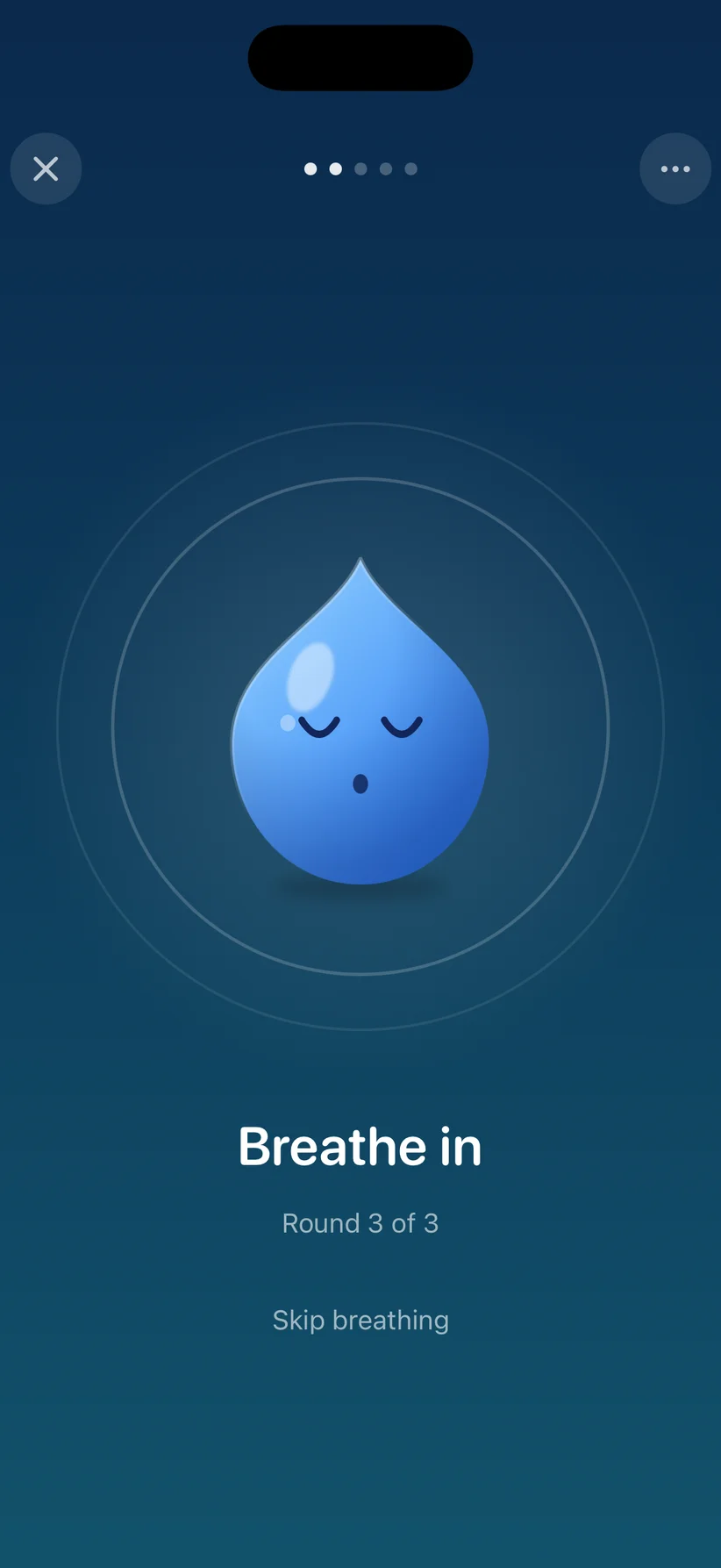
Three rounds with Blu. Four seconds in, four out, haptics on the beat.
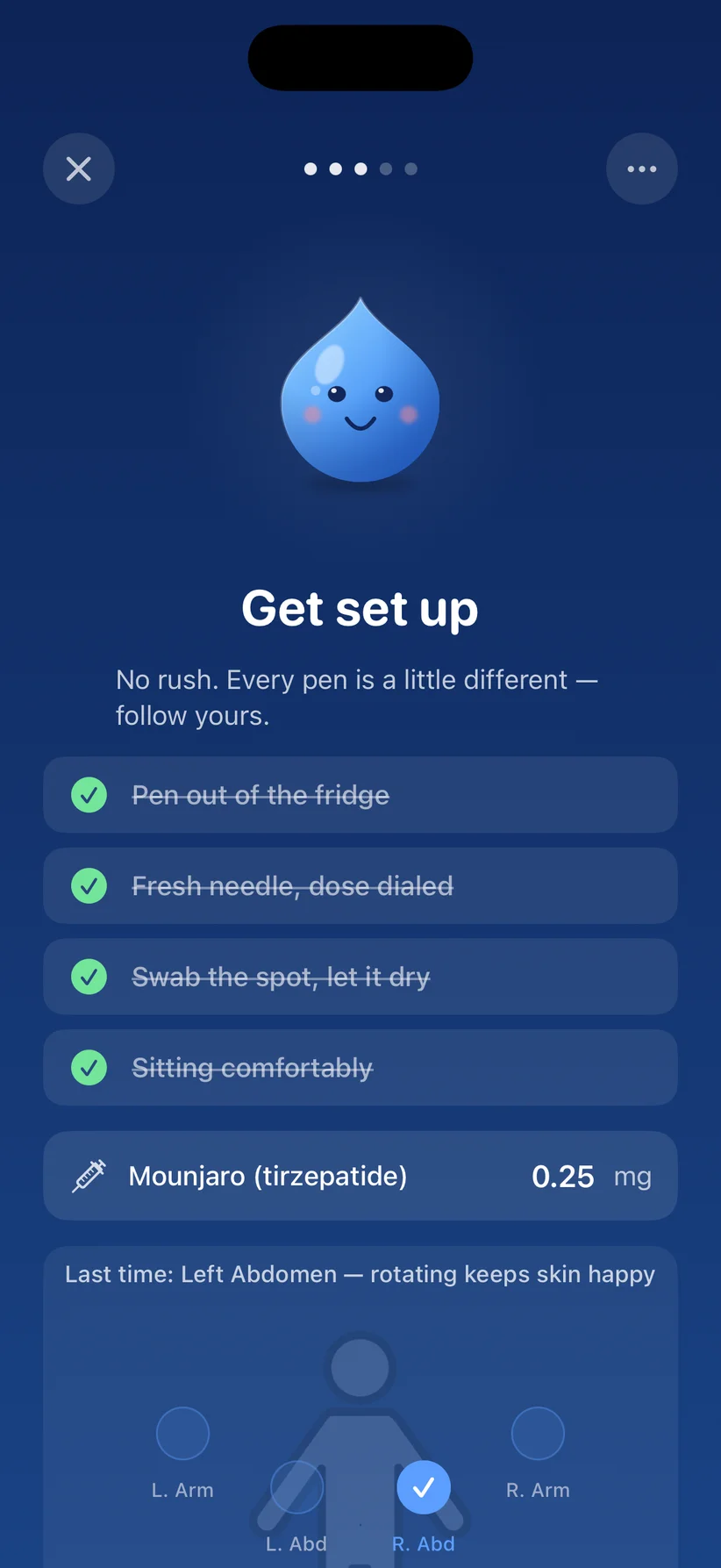
Pen out of the fridge, fresh needle, swab the spot. Last site remembered; next one suggested.
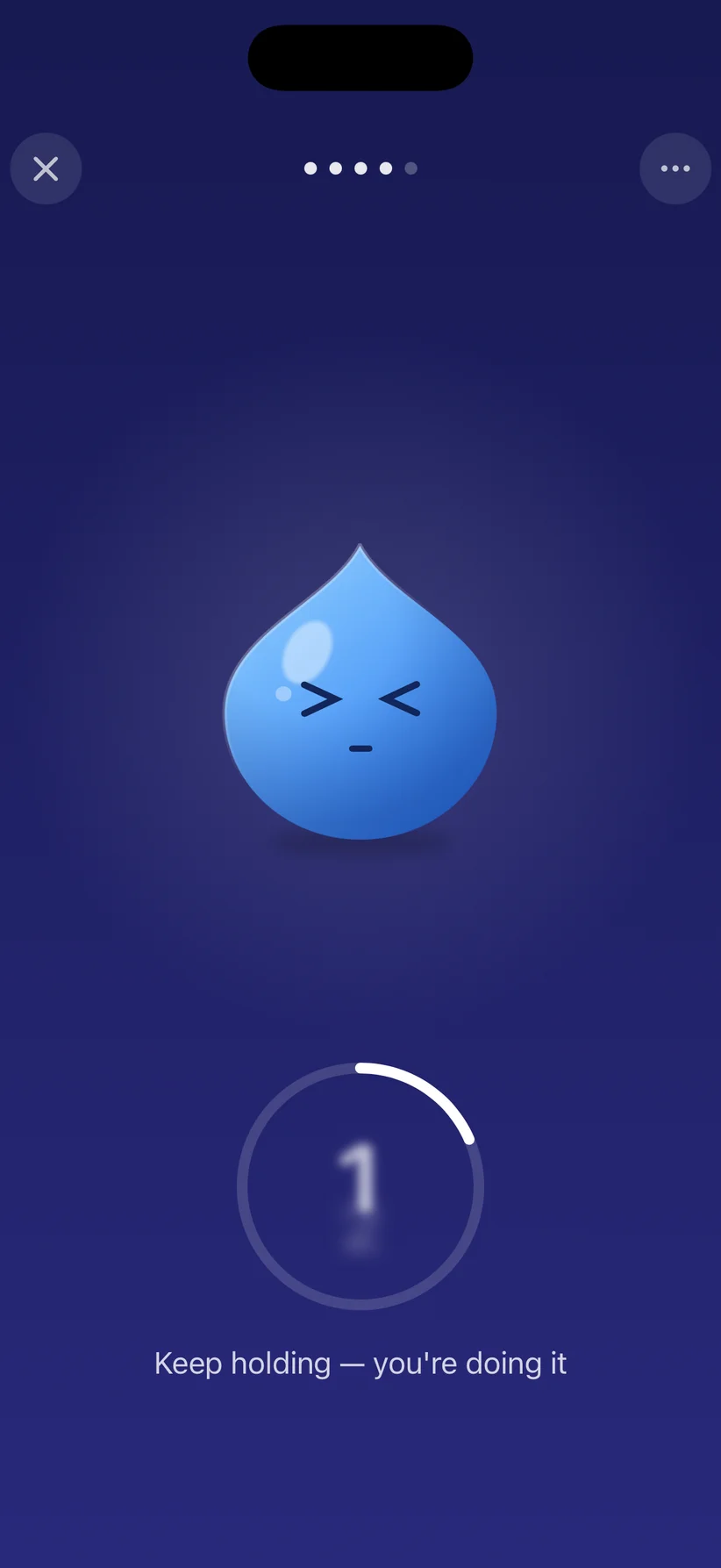
A guided ten-second count so you don’t pull out early. Blu holds with you.
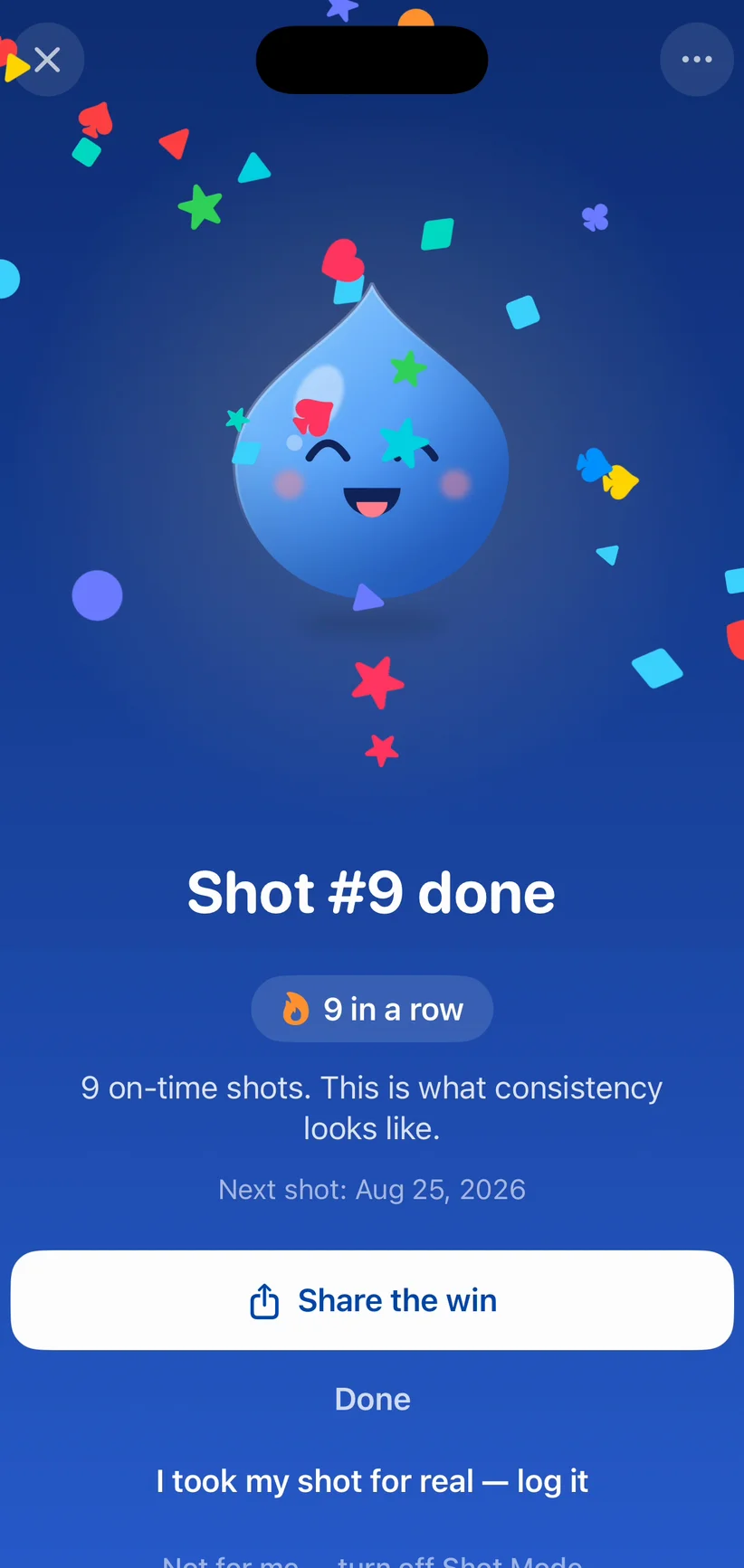
Confetti, the dose logs itself, and your streak ticks up. Share the win or don’t.
“The reminders are perfectly timed, and I really appreciate the flexibility to log doses, symptoms, and progress.”
Five calm stages. One steady buddy.
When your shot is due, Shot Mode opens a full-screen guided experience. Blu stays with you from the first breath to the confetti.
Breathe together
Prep without rushing
Hold through the count
Celebrate, it logs itself
Shot Mode paces you. It never replaces your pen’s instructions or your prescriber’s directions; your pen’s instructions always come first.
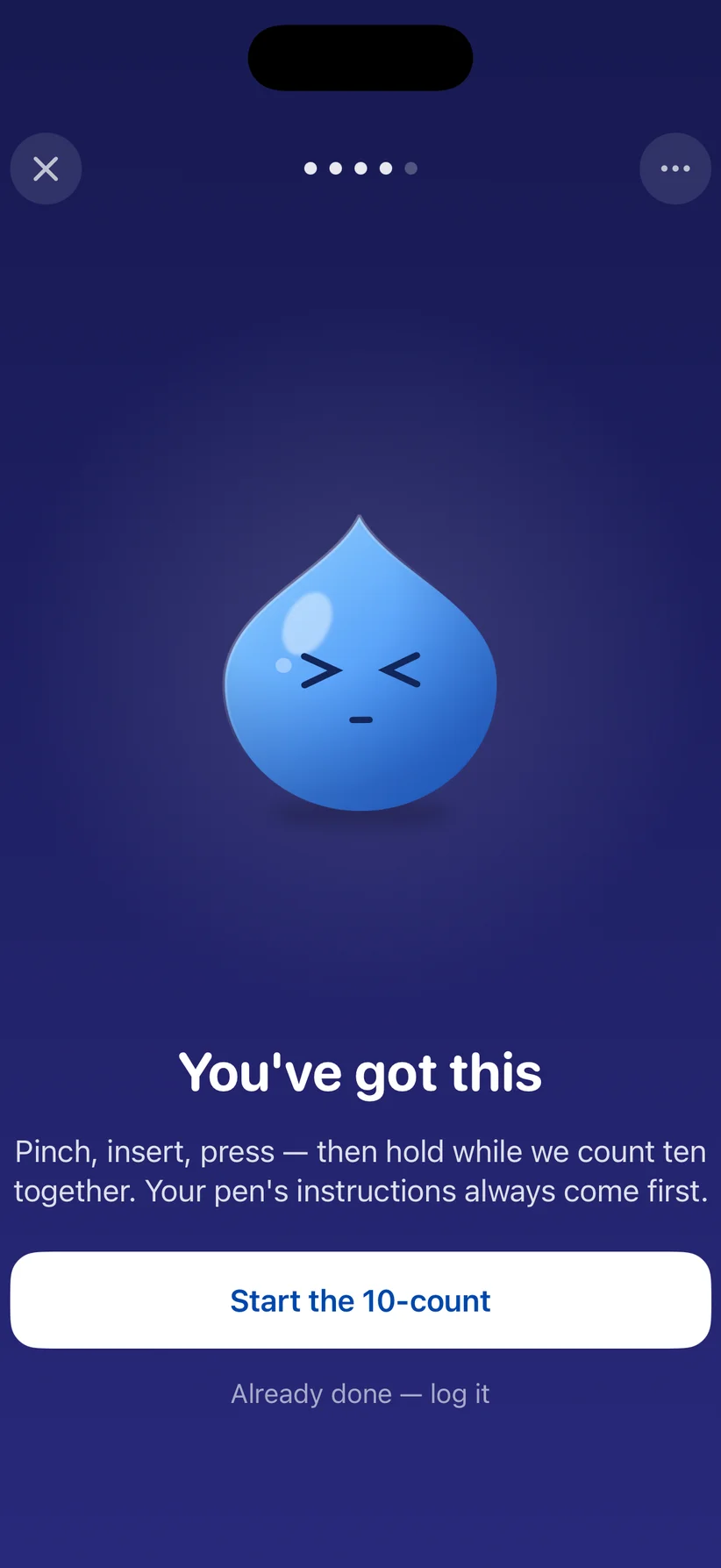
Tell us needles are hard. We wrote a version just for that.
During onboarding, Dose AI asks what your number one hurdle is. If you say injections make you anxious, Shot Mode adapts: softer pacing, more reassurance, language written specifically for needle fear. It turns the week’s worst moment into the app’s most supportive one.
- Injection anxiety and avoidance
- Dose inconsistency, the number one threat to results
- The emotional labor of injecting alone
- Logging friction after the hard part
What people say about shot day with Dose AI.
Quoted as written from Apple’s public review feed, handle and date included.
“This app has been a total game-changer for keeping track of my medication schedule. I’m using it for Wegovy, and I love how simple and intuitive everything is. The reminders are perfectly timed, and I really appreciate the flexibility to log doses, symptoms, and progress. It’s clear this was made by someone who understands what we need.”
“I absolutely love this app. I had downloaded several apps and I have used this one from the beginning. It does everything I need it to do for my GLP1 journey. AI Food tracking, shots, tracking my water in take and my weight each week. I’ve told so many people about this app!”
“This app is super easy to use and has helps me so much in my GLP1 journey! It reminds me when to take my shot. Lets me easily track my food intake with a quick photo of the plate! Tracks water and symptoms! One of my favorite features is it creates progress photos I can share!”
Shot Mode, answered.
Everything people ask about guided injections before their first shot day with Dose AI.
What is Shot Mode in Dose AI?
Shot Mode is a guided, full-screen ritual that opens when your GLP-1 shot is due. It walks you through five calm stages — arrive, breathe, prep, inject, celebrate — with a friendly droplet buddy, gentle haptics, and a 10-second guided count during the injection itself. When you finish, the dose logs itself automatically.
How does Shot Mode help with needle anxiety?
About 1 in 5 adults has significant needle fear, and on a weekly medication that fear compounds — hesitation becomes delay, and delay becomes skipped doses. Shot Mode borrows what works from guided meditation: a paced 8-second breathing cycle synced to haptics, a simple prep checklist so nothing feels rushed, and a steady count to hold through. It replaces sitting alone working up the nerve with a calm routine you follow.
Does Shot Mode work with Ozempic, Wegovy, Mounjaro, and Zepbound pens?
Yes. Shot Mode works with weekly injectable GLP-1 medications including Ozempic, Wegovy, Mounjaro, and Zepbound. It also reminds you which injection site is next in your rotation. Your pen’s own instructions always come first — Shot Mode paces you, it never replaces the manufacturer’s directions or your prescriber’s guidance.
Does my shot get logged automatically?
Yes. The moment you finish the guided count, Dose AI logs the dose, medication, and injection site for you — no extra taps. Your shot streak updates and you get a shareable milestone card for the win.
What if needles don’t bother me — can I skip it?
Absolutely. Shot Mode is optional: you can log with the quick form instead, skip the breathing, or turn Shot Mode off entirely in your profile. And if you tell Dose AI during onboarding that needles make you anxious, you get a version of Shot Mode written specifically for that.
Is Shot Mode free?
Dose AI is free to download and core tracking is free. Shot Mode is part of the app’s medication experience — download it from the App Store and take your next shot with it.
Your next shot doesn’t have to feel like the last one.
Download Dose AI free, tell it what makes shot day hard, and let Shot Mode walk you through the next one, breath by breath, count by count.