How Can I Track GLP-1 Dose Changes Without Losing History?
Managing a GLP-1 receptor agonist like Ozempic, Mounjaro, Wegovy, or Zepbound means tracking dose changes carefully. Your titration history matters for your health and safety.
This guide shows you how to keep complete records as your dose increases over time.
Why Tracking Your Dose Changes Matters
Your GLP-1 dose doesn't stay the same forever. Most people start low and increase gradually. This is called titration.
Keeping this history helps you:
- See how your body responded to each dose level
- Identify which dose worked best for you
- Share accurate information with your doctor
- Spot patterns in side effects or appetite changes
- Prepare for refills and insurance questions
Losing this data makes it harder to manage your treatment safely.
What Information Should You Record?
Track these details every time you take your GLP-1 shot:
Basic Shot Information
- Date and time of injection
- Dose amount (0.25 mg, 0.5 mg, 1 mg, 1.5 mg, 2 mg, etc.)
- Which medication (Ozempic, Mounjaro, Wegovy, Zepbound, or tirzepatide)
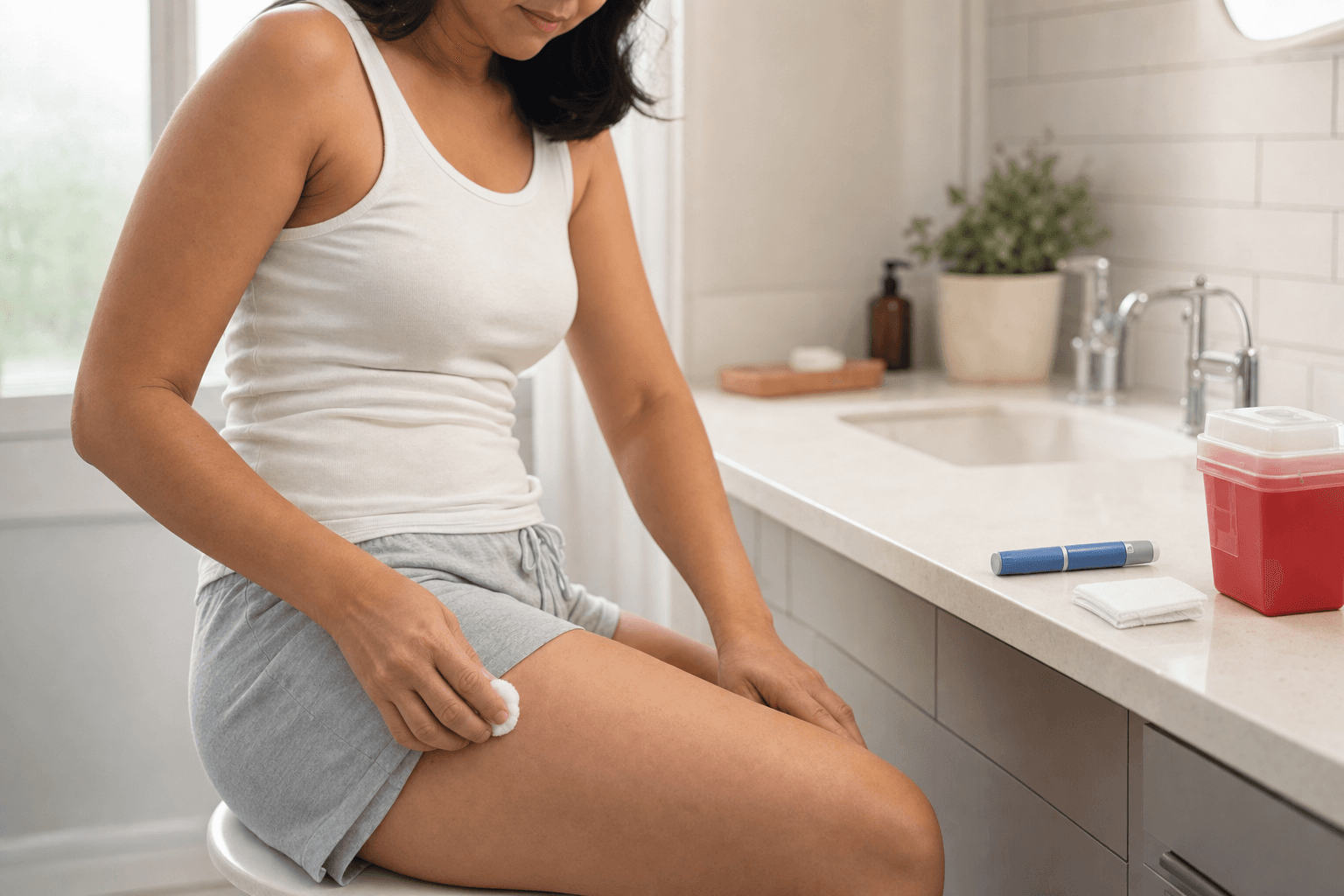
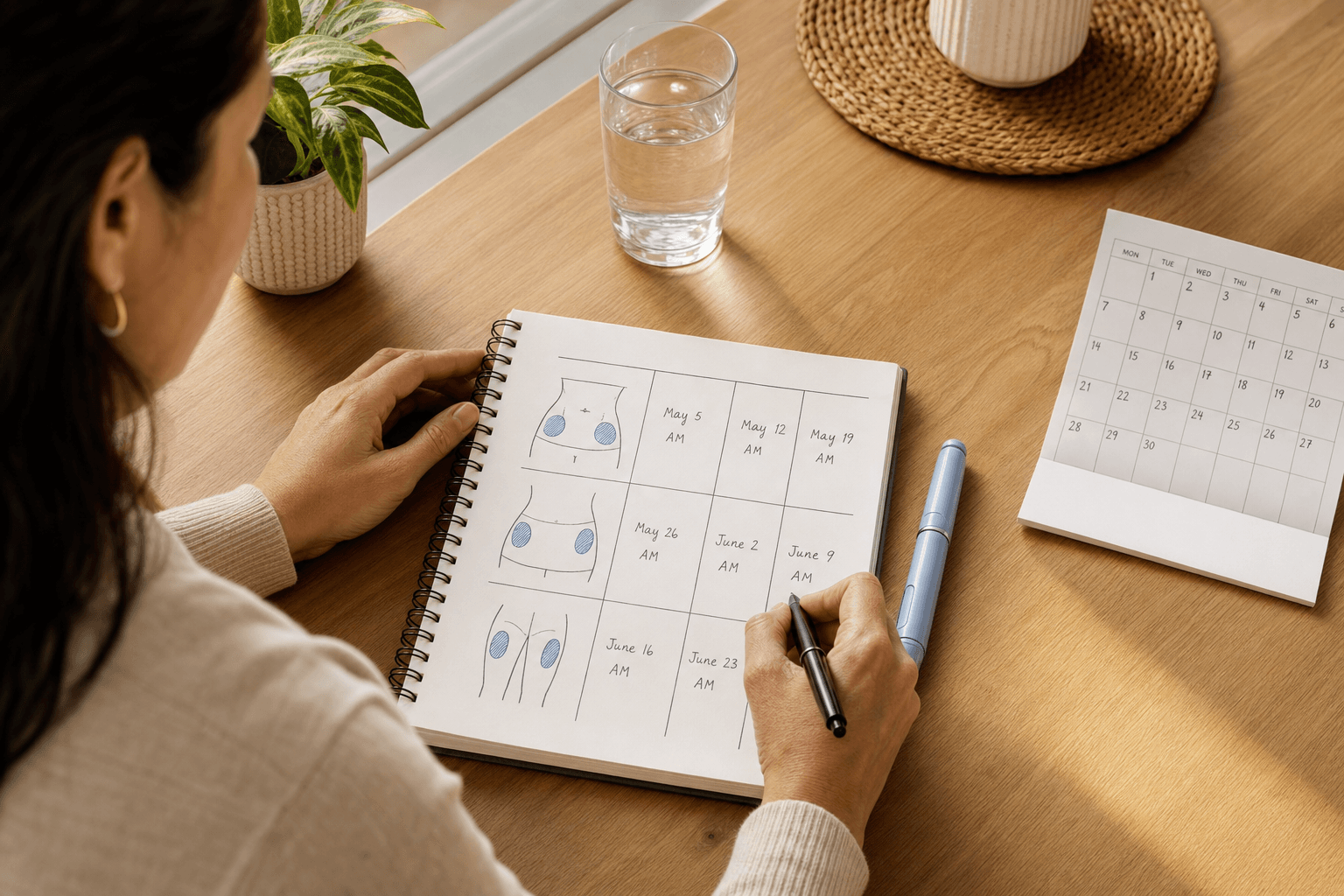
- Injection location (arm, belly, thigh)
How You Felt That Week
- Energy level (low, normal, high)
- Appetite changes
- Nausea or other side effects
- How strong the appetite suppression was
- Any unusual symptoms
Your Progress
- Weight (weekly or every two weeks)
- How your clothes fit
- Energy during workouts
- Mood and mental clarity
This creates a complete picture of your GLP-1 journey.
Digital Tools to Protect Your History
Dose AI Shot Logging Feature
The easiest way to keep dose history safe is using a dedicated health app. Dose AI's Shot Logging tool automatically stores every injection you record.
How it works:
- Log your shot date, time, and dose amount
- Add notes about how you felt that week
- See your entire titration timeline in one place
- Access your history anytime your doctor asks
- Export records for medical appointments
Your data stays organized and never gets lost.
Create a Backup System
Don't rely on just one method. Use multiple ways to track:
Method 1: Mobile App (Primary) Use Dose AI or another health tracking app as your main record keeper. Apps timestamp everything automatically.
Method 2: Calendar Notes Mark your injection dates on your phone's calendar. Add dose amounts in the notes section.
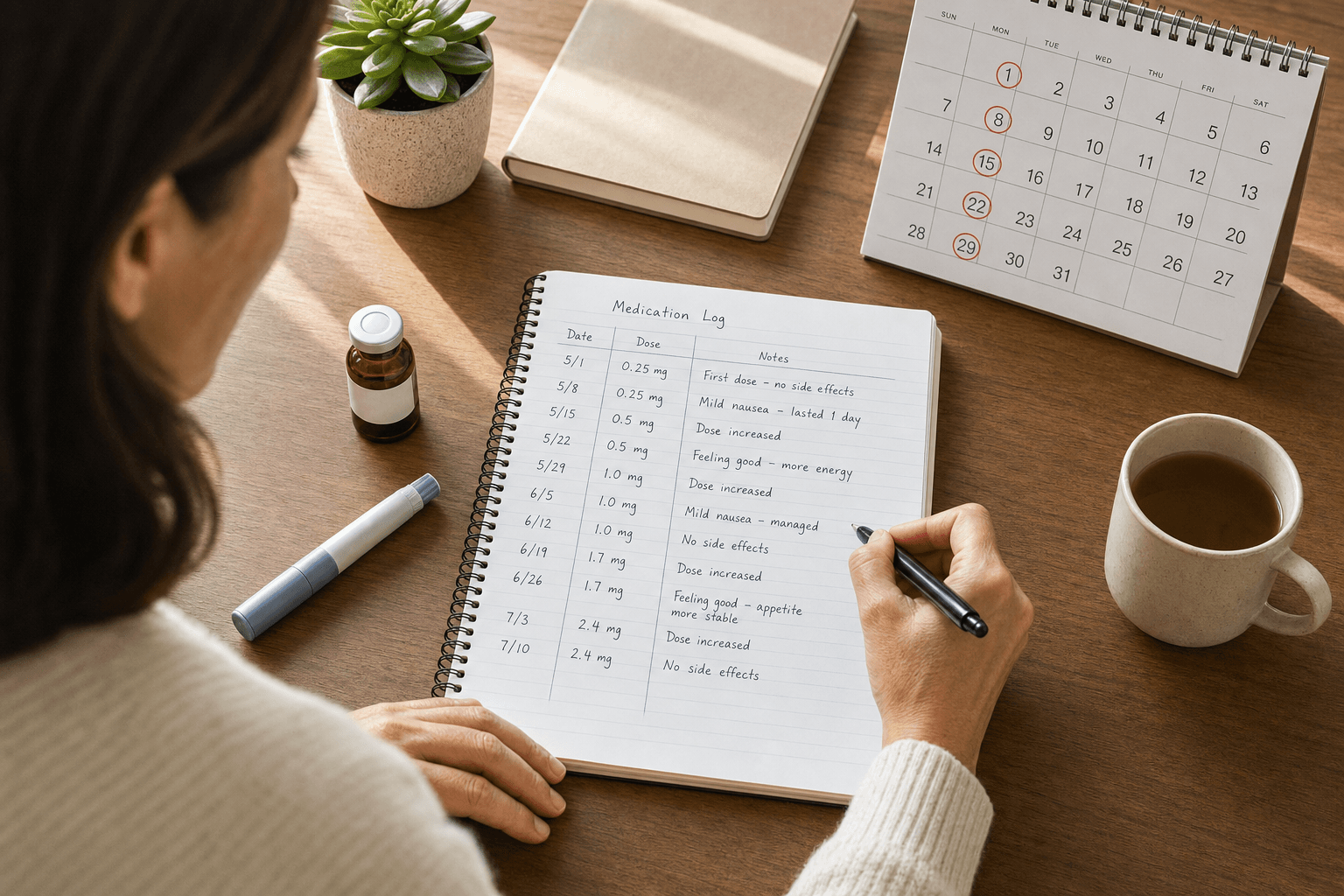
Method 3: Printed Spreadsheet Create a simple table with columns for:
- Date
- Dose
- Side effects
- Weight
- Notes
Print it monthly and keep it in a folder.
Method 4: Doctor's Copies Ask your healthcare provider's office for copies of your records. They keep official documentation.
Using all four methods means you'll never lose important information.
Step-by-Step: Setting Up Your Tracking System
Step 1: Choose Your Primary Tool
Pick one app or method to use every single time. Consistency matters most.
If you choose Dose AI:
- Download the app
- Create your account
- Set up your profile with your GLP-1 medication
Step 2: Log Your First Dose
Record your starting dose immediately. Include:
- Exact dose amount
- Date started
- How you felt that first week
- Any side effects
This becomes your baseline.
Step 3: Add to Your Log Every Week
After each injection, spend 2 minutes logging:
- When you took the shot
- Dose amount
- Brief notes on side effects or appetite
- Weight if you weigh yourself
Step 4: Update When Your Dose Changes
When your doctor increases your dose, create a new entry:
- Mark the date of the increase clearly
- Note the old dose and new dose
- Write why you're increasing (normal titration, side effects resolved, etc.)
- Track how you adjust to the new dose
Step 5: Review Monthly
Once a month, look back at your records:
- Did you handle dose increases well?
- When did side effects improve?
- What dose felt best?
- What patterns do you notice?
This helps you and your doctor make better decisions.
Using Your Dose History at Doctor Visits
Your tracking makes medical appointments easier and more productive.
Before Your Visit:
- Print or screenshot your dose history
- Highlight any concerns or questions
- Note patterns you've noticed
During Your Visit:
- Show your records to your doctor
- Discuss how each dose level affected you
- Ask about your next titration step
- Get clarity on your treatment plan
After Your Visit:
- Update your records with new dose information
- Note any changes to your plan
- Set a reminder for your next appointment
Your detailed history gives your doctor better information for decisions.
Organizing Your Records by Dose Level
Create sections in your tracking system for each dose increase. This makes it easy to compare how you felt at different doses.
Example Organization:
Starting Dose (0.25 mg)
- Dates: January 1-28
- Side effects: Mild nausea first 3 days
- Weight change: -2 lbs
- How it felt: Good appetite suppression
First Increase (0.5 mg)
- Dates: January 29-February 25
- Side effects: Nausea gone, some constipation
- Weight change: -4 lbs
- How it felt: Stronger appetite control
Second Increase (1 mg)
- Dates: February 26-present
- Side effects: Minimal
- Weight change: -3 lbs
- How it felt: Best dose so far
This format makes patterns obvious.
Protecting Your Health Information
Your GLP-1 records are private medical information. Keep them secure:
Digital Security
- Use a strong password for any health apps
- Enable two-factor authentication if available
- Don't share login information
- Keep your phone software updated
Paper Records
- Store printed copies in a safe place
- Keep them at home, not in your car
- Consider a locked file cabinet
- Don't leave them where others can see
Sharing Information
- Only share with your doctor or healthcare team
- Ask before anyone else accesses your records
- Know your privacy rights
Using Dose AI Features for Complete Tracking
Dose AI offers several tools that work together to protect your full GLP-1 history:
Shot Logging Records every injection with dose, date, and location. Never lose track of when you took your medication.
Symptom Tracker Log how you felt each day. Over time, patterns emerge showing which doses caused fewer side effects.
Water Logging Track hydration to prevent side effects. Good hydration often reduces nausea and constipation.
Food & Macro Logging Photograph your meals. The app analyzes calories and macros. See what foods work best at each dose level.
Progress Tracker Log weight and photos weekly. Watch your progress and see how dose increases affected your results.
Personalized Food Idea Assistant Get AI meal suggestions based on your dose level and side effects. Eat better while managing your medication.
Using all these tools together creates a complete picture of your GLP-1 journey.
Common Mistakes to Avoid
Mistake 1: Waiting Too Long to Log Log your shot the same day you take it. Memory fades quickly. A dose you took last week is hard to remember accurately.
Mistake 2: Not Recording Side Effects Side effects matter. They tell you and your doctor how well your dose is working. Never skip this information.
Mistake 3: Losing Track During Dose Increases Many people stop tracking when their dose changes. This is exactly when tracking matters most. Keep detailed notes during transitions.
Mistake 4: Using Only One Method If your phone breaks or you lose an app, your history is gone. Always use backup methods.
Mistake 5: Not Sharing Information with Your Doctor Your tracking only helps if your healthcare provider sees it. Bring your records to every appointment.
What If You've Already Lost Some History?
Don't worry. It's not too late to start fresh.
Recover What You Can:
- Check old text messages or calendar notes
- Ask your pharmacy for refill records
- Request your medical records from your doctor's office
- Look through old photos for dates
Start Now:
- Begin logging today with your current dose
- Write down what you remember about previous doses
- Ask your doctor to help fill in gaps
- Focus on accurate tracking going forward
Your future records matter more than perfect past records.
Frequently Asked Questions
Q: How often should I weigh myself while tracking doses? A: Once a week is ideal. Weigh yourself on the same day each week, ideally in the morning. Don't obsess over daily changes. Weight fluctuates naturally.
Q: What if I forget to log a shot? A: Log it as soon as you remember. Add the date you took it, not the date you're logging it. Accuracy matters more than timing.
Q: Can I share my Dose AI records with my doctor? A: Yes. Most health apps allow you to export data or take screenshots. Ask your doctor's office how they prefer to receive information.
Q: Should I track dose changes if I stay on the same dose? A: Yes. Even if your dose doesn't change, keep logging your weekly shots. This shows consistency and helps you notice side effect patterns.
Q: What's the best dose to aim for? A: There's no universal "best" dose. The best dose is the one that controls your appetite and weight while causing minimal side effects for you personally. Your doctor helps determine this based on your tracking data.
Next Steps for Better Tracking
- Download Dose AI today and set up Shot Logging
- Log your next injection with complete information
- Add backup methods like a calendar or spreadsheet
- Review your history monthly to spot patterns
- Bring your records to your next doctor visit
- Keep tracking consistently as your dose changes
Your GLP-1 journey deserves complete, accurate records. You're taking charge of your health by organizing your information.
Related Dose AI Blog Posts
- How to Manage GLP-1 Side Effects at Each Dose Level
- What Happens During GLP-1 Titration? A Week-by-Week Guide
- Mounjaro vs. Ozempic: Comparing Titration Schedules
- Why Your GLP-1 Dose Might Need to Change
Medical Disclaimer: This article provides educational information about tracking GLP-1 medications. It is not medical advice. Always consult with your healthcare provider before making changes to your GLP-1 treatment, dose, or medication schedule. Your doctor is the only person who can recommend appropriate doses based on your individual health, medical history, and response to treatment. If you experience severe side effects or have concerns about your dose, contact your healthcare provider immediately.
Sources:
- FDA Guidance on Semaglutide (Ozempic, Wegovy) and Tirzepatide (Mounjaro, Zepbound) prescribing information
- National Institutes of Health: GLP-1 Receptor Agonists for Weight Management (2024)